FINANCIAL AID
FINANCIAL AID MENU
PARENT PLUS LOAN
Application Instructions for Parent PLUS Loan
Before you begin:
Parent PLUS loans are borrowed by the parent for the student. The parent, NOT the student, completes the application. The parent must have a verified FSA ID (Username & Password) to log in to studentaid.gov. Create an FSA ID at studentaid.gov.
Step 1
Go to the Direct Loan website, which is studentaid.gov. The parent should sign in using his or her FSA ID. Sign in by clicking the green “Log In” button.
Step 2
After signing in, click “Request a Direct PLUS Loan” on the center of the page. You will be shown two different types of loans. Select “Complete PLUS Request for Parents” under the Direct PLUS Loan Request for Parent Borrowers section.
Step 3
Complete all sections of the application form. Select the appropriate award year (the first question). Also, you must list Nicholls State University in the School and Loan Information section.
What happens next?
Upon submission, the parent will be notified of the credit decision.
- If denied, the student may qualify for additional unsubsidized loans if the parent chooses not to pursue an endorser.
- If approved and the parent wishes to be processed for the loan, he or she will need to complete a PLUS Master Promissory Note. Select “Complete an MPN” followed by “PLUS MPN for Parents.”
The information will be sent to the school electronically, and based on the credit decision, our office will determine the student’s loan eligibility.
CONTACT INFORMATION
Office Location:
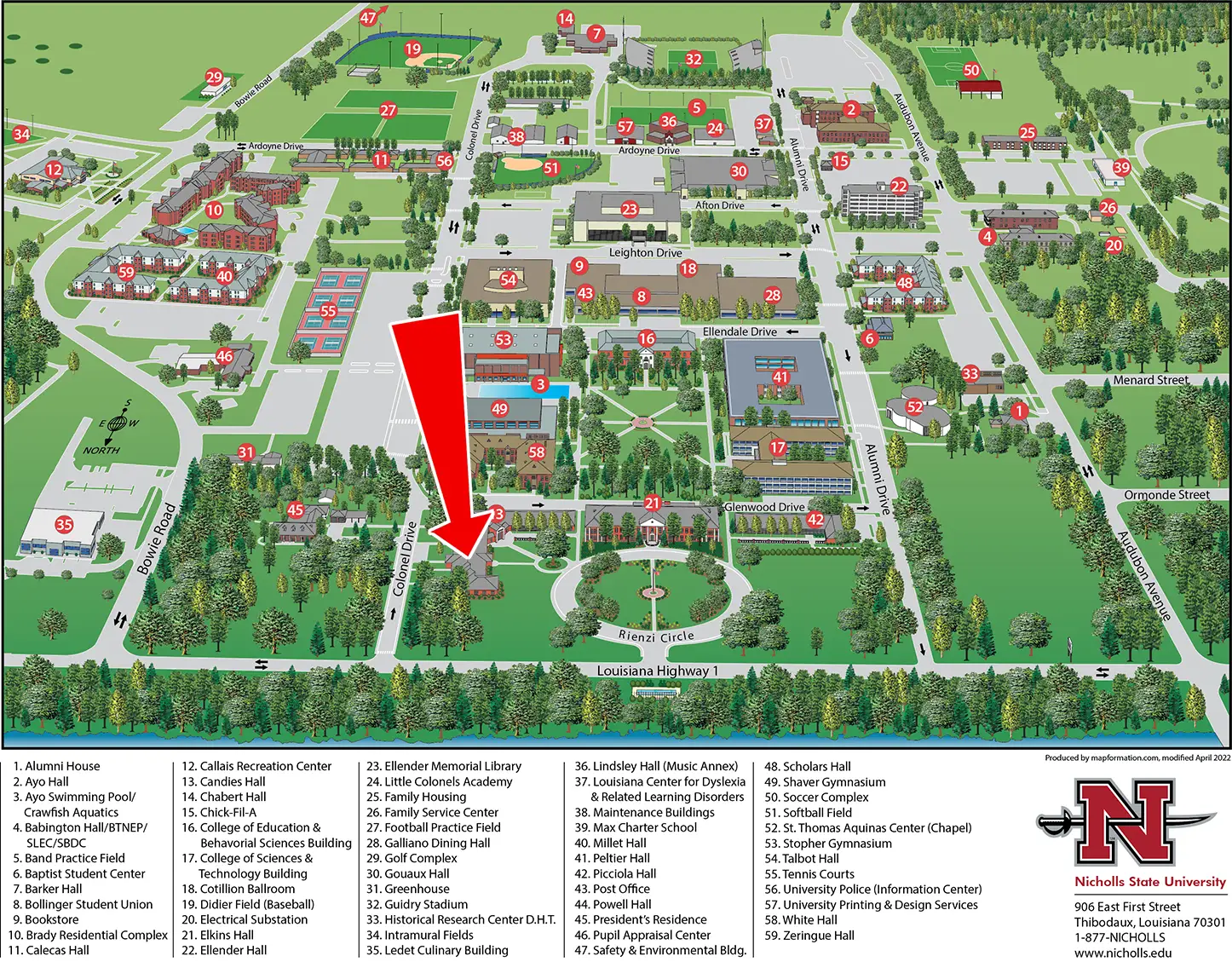
Otto Candies Hall
Mailing Address:
P.O. Box 2005
Thibodaux, LA 70310
Phone: 985-448-4048
Fax: 985-448-4124
E-mail: finaid@nicholls.edu
CAMPUS LOCATION